
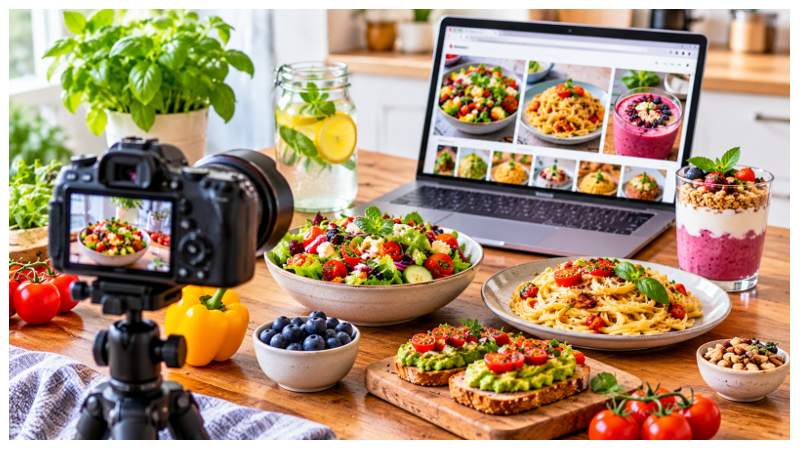
A great food photo can make someone stop scrolling, save a recipe, or decide to try a new dish. The golden crust of freshly baked bread, the vibrant colors of a summer salad, or the steam rising from a bowl of homemade soup can communicate something that words alone sometimes cannot. For food bloggers, photography is more than decoration. It helps tell the story behind every recipe and gives readers a reason to explore further.
However, beautiful images can create a problem when they are too large. High-resolution food photography takes up storage space and can slow down a website, especially when several pictures appear on the same page. Finding the right balance between image quality and file size is an important part of maintaining a successful food blog. Using an online JPG compressor can help reduce image sizes while preserving the details that make food photography appealing.
Why Image Optimization Matters for Food Blogs
Food blogs rely heavily on visual content. Readers often want to see the finished dish before they commit to preparing a recipe, and step-by-step photographs can make unfamiliar cooking techniques easier to follow.
The challenge is that photographs from modern smartphones and cameras can have large file sizes. Uploading several unoptimized images to a single recipe page may increase loading times and make browsing less enjoyable.
Image optimization helps address this issue without requiring bloggers to abandon high-quality photography.
There are three main benefits:
- Faster page loading: Smaller image files generally require less time to download, particularly on slower mobile connections.
- A better reading experience: Readers can move between recipes, instructions, and photographs without unnecessary delays.
- More efficient storage: Compressed images take up less server space, which can be useful for blogs with extensive recipe archives.
Website speed also matters for search engine optimization. Although image compression alone cannot guarantee better rankings, improving loading performance contributes to a more accessible and user-friendly website.
Choosing the Right Image Format
Before compressing photographs, it helps to understand which image format suits your content.
JPEG, commonly written as JPG, is widely used for food photography because it handles photographs with complex colors, shadows, and textures efficiently. It works well for pictures of finished dishes, ingredients, restaurant meals, and cooking processes.
PNG is generally more suitable for graphics that require transparency or sharp, clearly defined elements, such as certain logos and illustrations. However, PNG files containing photographs can be considerably larger than comparable JPEG files.
WebP is another useful format because it can provide good visual quality at relatively small file sizes. Many modern websites use it to improve image delivery.
For a food blogger, the best choice depends on the image itself, the website’s technical setup, and the publishing workflow. JPEG remains a practical option when you need a widely supported format for photographic content.
How to Reduce Image Size Without Ruining Food Photography
Compression should make images lighter without making them unpleasant to look at. This matters particularly for food, where small visual details can influence how appetizing a dish appears.
A photograph of chocolate cake, for example, should retain the texture of the sponge, the shine of the frosting, and the contrast between its layers. Excessive compression can introduce visible artifacts, blur details, or make smooth areas look uneven.
A simple optimization process can help you avoid these problems.
1. Start With the Correct Dimensions
Before compressing an image, consider how large it will actually appear on your website.
If a recipe page displays a photograph at 900 pixels wide, uploading a 5,000-pixel-wide original may be unnecessary. Resizing the image to suit the website’s layout can significantly reduce its file size.
Keep a high-resolution original separately if you expect to reuse the photograph for printed materials or other projects.
2. Compress the Image
Once the dimensions are appropriate, reduce the file size using a suitable compression tool.
The goal is not to achieve the smallest possible file at any cost. Instead, look for a balance between file size and visual quality.
After compression, compare the result with the original. Pay attention to fine details, color transitions, and areas with subtle textures. If the compressed version looks noticeably worse, try a less aggressive compression setting.
3. Preview the Image on Your Website
A photograph that looks excellent on a large desktop monitor may appear differently on a phone. Preview important images at the sizes your readers are most likely to see.
Check that the food remains recognizable, the colors look natural, and the image complements the surrounding text.
4. Keep Your Files Organized
Food blogs can accumulate hundreds or even thousands of photographs over time. Consistent file names make it easier to manage them.
Instead of uploading files named IMG_4821.jpg, use descriptive names such as homemade-chicken-noodle-soup.jpg. Relevant file names also help search engines understand the subject of an image, although they should accurately describe the photograph rather than repeat keywords unnecessarily.
Practical Image Optimization Tips for Recipe Creators
Good image optimization starts before a photograph reaches your website.
Avoid uploading unnecessary variations. If you take 20 pictures of the same dish, select the strongest few rather than publishing every version. This keeps recipe pages focused and reduces the number of image files you need to manage.
Use descriptive alt text. Alternative text helps people using screen readers understand meaningful images. For example, a photograph of a bowl of tomato soup topped with fresh basil could use a concise description that identifies the dish and its visible details. Avoid stuffing alt text with unrelated search terms.
Consider responsive images. If your website supports responsive image delivery, provide appropriately sized versions for different screen sizes. Mobile visitors should not have to download an unnecessarily large desktop image when a smaller version will display just as well.
Preserve the original files. Keep uncompressed photographs in a separate folder or reliable storage location. This gives you the flexibility to edit, resize, or export them again when your website design changes.
Review older posts. Image optimization is not only for new content. Revisiting popular recipes and replacing oversized images can improve the experience for returning readers and new visitors alike.
Image Quality and Website Speed Should Work Together
It can be tempting to focus entirely on file size, especially when a website feels slow. However, aggressively compressing every photograph is not always the right solution.
Food photography plays a direct role in how readers experience a recipe. A clear photograph of a properly cooked steak, a detailed image of bread dough, or a close-up of a cake’s texture can help readers understand what to expect from the finished dish.
For this reason, evaluate image optimization in context. A large hero photograph at the top of a recipe page deserves particular attention because it may be one of the first elements visitors see. Smaller supporting photographs may need less detail, depending on their purpose and display size.
It is also worth remembering that images are only one part of website performance. Hosting quality, caching, scripts, fonts, and other page elements can affect loading times. Compressing photographs is a useful step, but it should form part of a broader approach to website maintenance.
Building a Consistent Image Workflow
A repeatable process saves time and prevents problems as a food blog grows.
Before publishing a new recipe, select the final photographs, resize them for their intended placement, compress them, and check their appearance. Add descriptive file names and appropriate alt text, then preview the complete page on both desktop and mobile devices.
For example, a recipe for homemade vegetable lasagna might include a finished-dish photograph, a few preparation steps, and a close-up of the cheese topping. Optimizing these images individually helps maintain visual quality while avoiding unnecessarily large downloads.
Once this workflow becomes a habit, image optimization feels less like an additional technical task and more like a natural part of preparing a post for publication.
Conclusion
Beautiful photography and a fast website do not have to compete with each other. By choosing suitable image formats, resizing photographs appropriately, and compressing files carefully, food bloggers can preserve the visual appeal of their recipes while making their websites easier to browse.
A consistent approach to image optimization helps create a better experience for readers and provides a stronger foundation for a growing food blog. The best results come from treating every photograph as both a visual story and a part of the website’s overall performance.
If you’d like, I can also adjust the article to sound more like a personal food blogger’s writing style, with a warmer, more conversational voice and less technical terminology.